
Getting Started & Setup
Morph IDE installs in seconds across all major operating systems. Download your native platform build, follow our simple installation instructions, and migrate your existing VS Code workspace automatically.
1Installation & Platform Setup
Morph IDE desktop binaries for macOS and Windows are production-packaged, signed, and ready for instant deployment:
- Download & Open: Download the DMG installer for your architecture (Apple Silicon arm64 or Intel x64). Double-click the
.dmgfile to mount it. - Drag to Applications: Drag the
Morph IDE.appbundle into your/Applicationsfolder. - Launch Instantly: Open Morph IDE from Applications or Spotlight. It will launch smoothly without security blocks or Gatekeeper warnings.
- Run Installer: Download
MorphIDESetup.exeand run the installer setup wizard. - Complete Setup: Follow the on-screen steps to install Morph IDE and automatically configure native Windows Subsystem for Linux (WSL2) integration.
Linux package manager repositories and standalone AppImage builds are currently in active development for the campus beta release. Linux developers can compile locally or track availability on our Changelog.
2SRM University-AP Campus Beta Onboarding
Morph IDE is currently in active campus beta testing in official collaboration with SRM University-AP. Students, faculty members, and researchers with an active @srmap.edu.in email address receive complimentary, pre-configured access to Google Gemini 3 models:

Campus Verification Workflow
Sponsored Google Gemini 3 Access- Launch Morph IDE: On your first launch, the interactive Onboarding Assistant will appear.
- Institutional Sign-In: Select Sign in with College Account.
- Enter Institutional Email: Input your valid university email ending with
@srmap.edu.in. - Automatic Model Activation: Upon verification, Morph IDE automatically activates the sponsored Google Gemini 3 Series (
gemini-3.6-flash,gemini-3.1-pro-preview) with real-time thinking tokens—no credit card or personal API key required!
3Migrating from Standard VS Code
Because Morph IDE is engineered as a direct native hard fork of Microsoft's core VS Code source tree, transitioning your active developer setup is effortless and takes under 60 seconds:
Full Extension Compatibility
Morph IDE works seamlessly with official Open VSX and VS Code marketplace registries. Your everyday engineering tools function without modification:
- Language Servers: TypeScript, Python, Rust, Go, C++
- Code Formatters: ESLint, Prettier, Biome, Ruff
- Debugger Extensions: Chrome DevTools, Python Debugger
Automated Onboarding Wizard
Upon first launch, Morph IDE opens an intuitive onboarding assistant designed to transfer your previous workbench customizations instantly:
- Settings & Preferences: Automatically imports
settings.json - Keybindings: Preserves custom shortcut mappings and Vim layouts
- Themes & Icons: Migrates favored editor syntax color themes
4Provider Configuration (Bring Your Own Key)
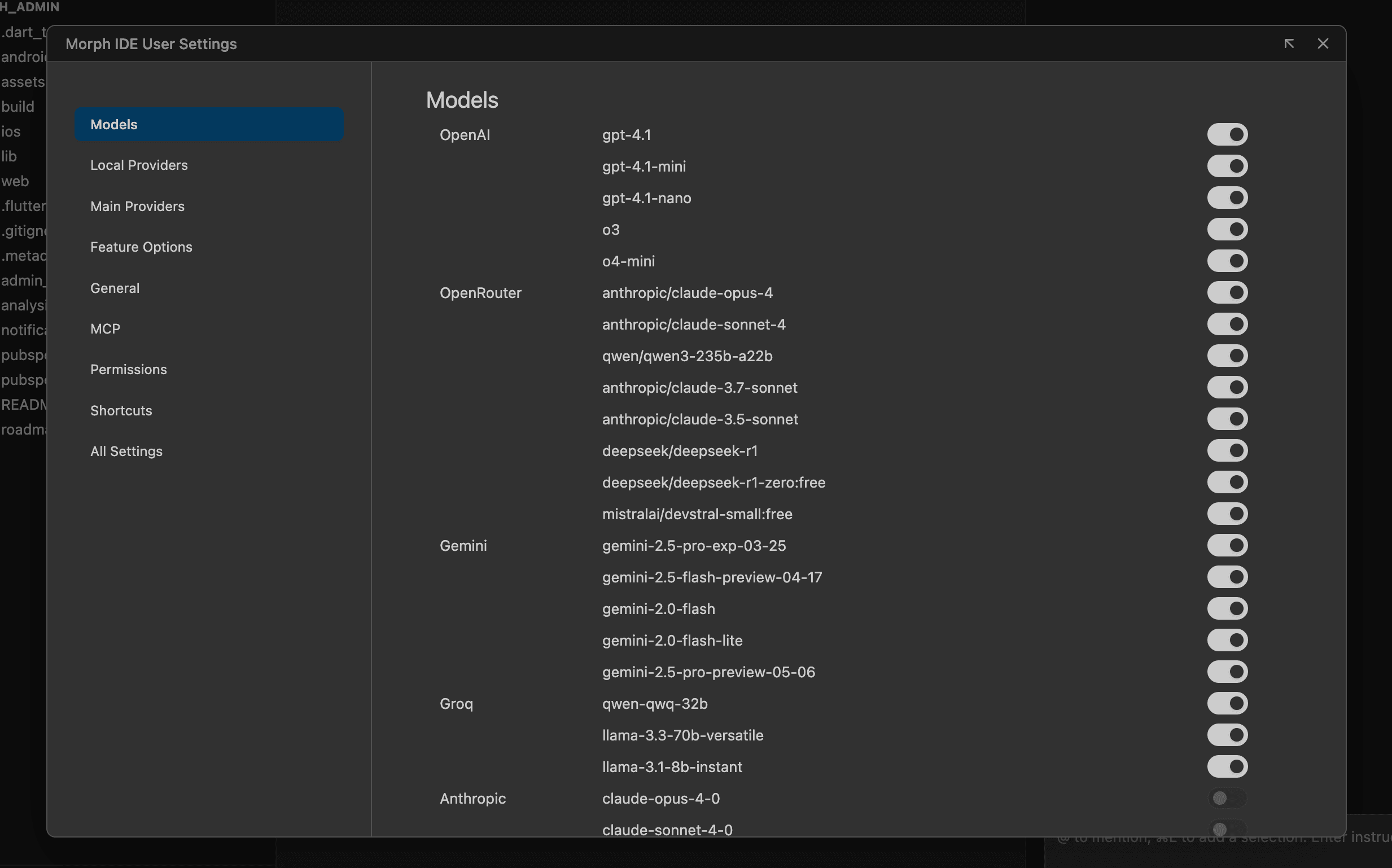
For developers outside the campus beta or those using custom organization keys, Morph IDE enforces a strict BYOK Architecture, putting you in complete control over billing rates, API limits, and model governance without intermediary markup or cloud proxy routing.
Direct Provider API Keys
Open the custom AI Provider Settings Panel inside Morph (Gear icon → Morph Settings) and paste your direct secret keys. All API payloads communicate directly over verified TLS encryption:
- Google Gemini: Gemini 3.6 Flash, 3.1 Pro Preview, 3.8 Flash & 3.1 Flash-Lite
- Anthropic: Claude 3.5 Sonnet, Haiku & Opus
- OpenAI: GPT-4o, o1-mini & o3-mini reasoning models
- Groq: Ultra-fast real-time inference endpoints
Local Open-Source LLMs
Connect cleanly to local runtime instances of Ollama, LM Studio, or vLLM on localized localhost ports (e.g., http://localhost:11434 or http://localhost:1234).
Because requests originate natively within Electron's main backend Node process, zero tricky network configurations or browser CORS proxy rules are necessary!